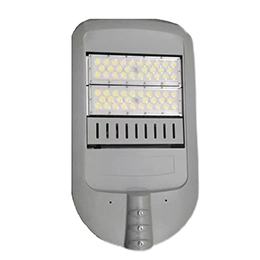
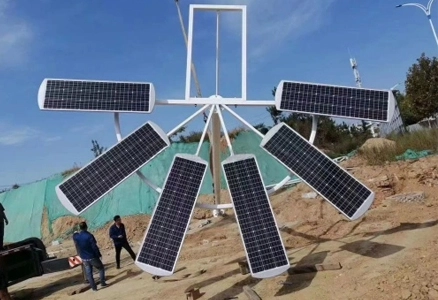
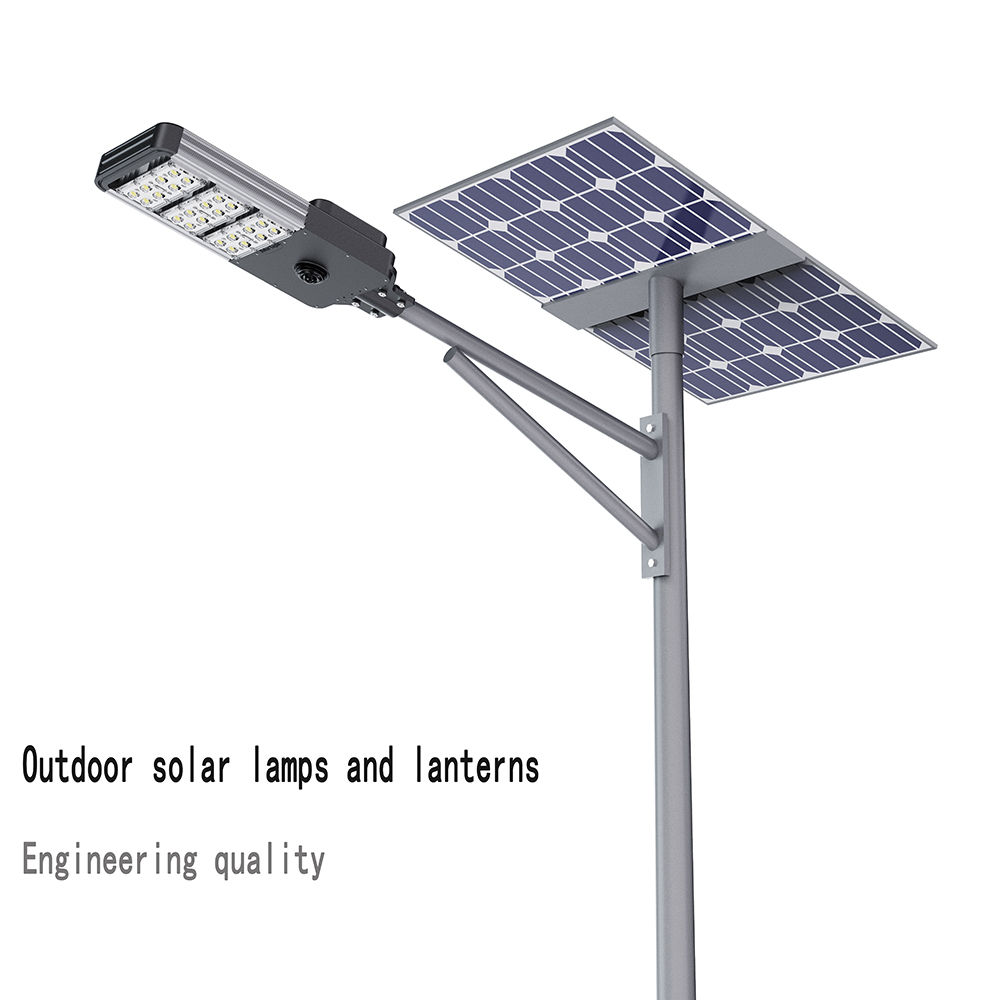
Solar lights are designed to be automatic, eco-friendly lighting solutions that activate at night and turn off at dawn, harnessing sunlight during the day to charge their batteries. These systems convert solar energy into electrical power stored in batteries, which then powers LED lights after dark. Given that solar lighting components are often more expensive than those of traditional systems, it's understandable to want to repair a malfunctioning unit rather than discard it. This article explores why your solar lights might be turning on during the day and provides practical troubleshooting and maintenance tips to restore their functionality.
When solar lights turn on during the day or malfunction, the issue often stems from a problem with the light sensor, which is responsible for detecting ambient light levels and signaling the light to turn off during the day. A blocked, faulty, or overly sensitive sensor can cause the light to misinterpret daylight as darkness. If the sensor appears to be functioning correctly, other components such as the battery, controller, solar panel, or circuit wiring could be the culprits. These are common causes, but additional factors may also contribute to the issue.
Several factors can cause solar lights to malfunction during the day, ranging from simple fixes to more complex issues requiring technical expertise. For easily addressable problems, such as shadows blocking the solar panel, relocate the light to an area with direct sunlight, away from trees, tall objects, or buildings. If the light is indoors and not receiving adequate sunlight, open windows or curtains to allow direct exposure, or move the light outside to charge. A dirty light sensor or solar panel can also trigger daytime activation, so clean these components with a damp cloth, avoiding soap to prevent residue buildup. Test the light's functionality by covering the panel briefly to simulate darkness and checking if it turns off when uncovered. Keeping lights away from dusty areas can minimize maintenance needs. Additionally, check the light sensitivity settings, often labeled as a “Lux” dial, and adjust them to a lower level if set too high, as this can cause the light to activate in slight shade. An override switch, commonly used in solar security lights, may be accidentally left on, keeping the light active during the day—simply turn it off. If the light duration setting is too long, causing the light to remain on after the sensor signals it to turn off, readjust this setting to a shorter duration, such as one minute, and test the light's response.
For more critical issues, water or moisture penetration can disrupt the system, especially in poorly manufactured units with lower IP ratings. High-quality solar lights typically have IP ratings like IP65 or higher, indicating water resistance, but water ingress can still occur. If under warranty, contact the manufacturer for a replacement rather than opening the unit, as this may void the warranty. Otherwise, carefully remove moisture, dry the components, and allow the light to charge fully before testing. Flickering lights may indicate faulty wiring, which should be inspected for damage, such as chewed wires, and repaired with electrical tape or soldering if the warranty has expired. If these steps don't resolve the issue, a damaged sensor or battery may require expert attention. A faulty sensor can be replaced by sourcing a compatible model from the supplier or online, though professional assistance may be needed for wiring. A damaged battery, indicated by rapid draining or daytime activation, can be replaced with compatible types like NiCd, NiMH, lithium-ion, or lithium iron phosphate, depending on the light's design.
Several specific issues can cause solar lights to turn on during daylight hours, each with straightforward solutions. If the light is placed in a shady area, the solar panel may interpret the shadow as nighttime, triggering the LED. Relocate the light to a shadow-free spot with direct sunlight for 4 to 12 hours of charging, or adjust the panel's angle to capture more light. For larger units like solar street lights, consider repositioning the panel or choosing a permanent, sun-exposed location, especially for split-type or all-in-one designs that allow flexibility. Indoor solar lights may stay on if they don't receive enough sunlight through windows; open curtains or move the light outside to charge, then bring it back indoors if needed. A dirty sensor or panel, common in outdoor environments, can block light detection, so clean both components regularly and keep the light away from dusty areas. High sensitivity settings can cause the light to activate in minimal shade, so adjust the “Lux” dial to an appropriate level, referring to the manufacturer's manual if necessary. An active override switch, often used for security lights, can keep the light on—check and deactivate it.
A prolonged light duration setting may delay the light turning off, so reset it to a shorter interval. Water ingress, even in lights with high IP ratings, can cause malfunctions; contact the manufacturer for warranty-covered replacements or dry the components thoroughly if the warranty has expired. Faulty wiring can disrupt normal operation, so inspect and repair damaged wires, or seek professional help if under warranty. A broken sensor may need replacement, while a faulty battery, showing signs like quick draining, should be replaced with the appropriate type for your light, such as NiCd or lithium-ion.


 English
 français
 Español
 русский
 português
 العربية
 ไทย
ไทย Pilipino
 বাঙালি
 Indonesia